Mentions help Team Members bring another person into a Conversation without changing Conversation ownership.
Mention a Team Member
In the composer, type:
@
and begin entering the Team Member’s name.
You can also use the mention control in the composer toolbar.
Select the Team Member from the mention popover.
Example:
@Alex
Mentions can be used in public messages and Internal Notes.
Mention Notifications
When a Team Member is mentioned, YS Desk can update their notification state and Mentions view so the person can follow up on the Conversation.
View Mentions
Open:
Inbox → Mentions
The Mentions view provides Conversations in which the current user was mentioned.
Select a result to open the related Conversation and inspect the mention context.
The Mentions view can also be filtered by the Team Member who created the mention using the Mentioned by filter.
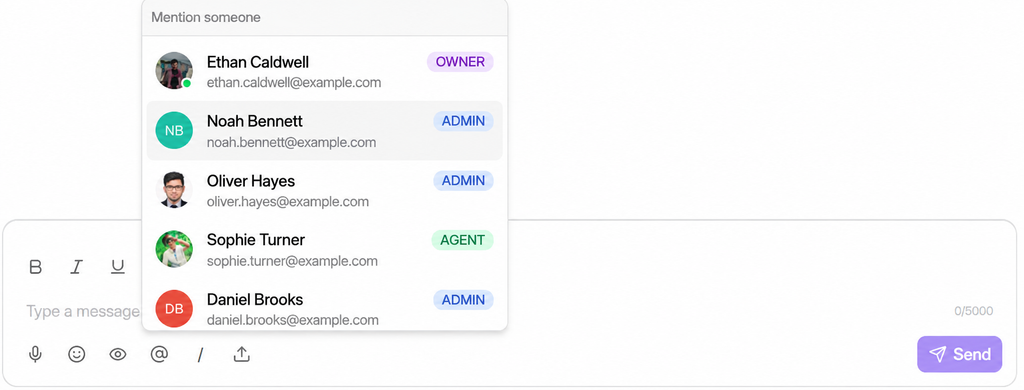
Figure G-11 Composer with the @ mention popover open and Mentions view
Need Help?
Email: support@ysdesk.com
Documentation: https://docs.ysplugins.com/ys-desk