YS Desk allows Agents to attach supported media and record voice notes directly from the Conversation composer.
Upload a File
Select the Upload control or drag a supported file into the Conversation area.
Supported image formats include:
.jpg
.jpeg
.png
.gif
.webp
.bmp
.tiff
Maximum image size:
10 MB
Supported Documents
Supported document formats include:
.doc
.docx
.xls
.xlsx
.ppt
.pptx
.txt
.csv
Maximum document size:
20 MB
Supported Audio Files
Supported audio formats include:
.mp3
.wav
.ogg
.m4a
.flac
.aac
.webm
Maximum audio size:
10 MB
Record a Voice Note
Select the Microphone control to open the voice recorder.
The recorder provides:
- Recording duration
- Interactive seek bar preview
- Pause
- Resume
- Cancel
- Send
Use the trash/cancel control to discard the recording before sending it.
Send the Recording
Review the recording and select Send to attach it to the Conversation.
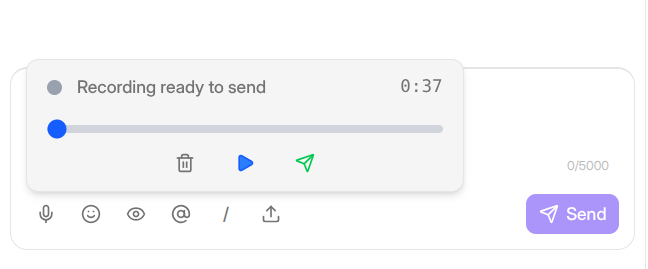
Figure G-08 Voice recorder showing seekbar, timer, pause/cancel, and send controls.
Need Help?
Email: support@ysdesk.com
Documentation: https://docs.ysplugins.com/ys-desk