
A step-by-step guide to embedding review lists, star rating badges, review carousels, and Elementor/Gutenberg blocks across your site.
Step 1: Accessing Hyoka Widgets Visual Editor
1. Log into your WordPress Dashboard.
2. Click Hyoka in the left WordPress menu.
3. Select Widgets in the primary navigation sidebar (Layout template icon).
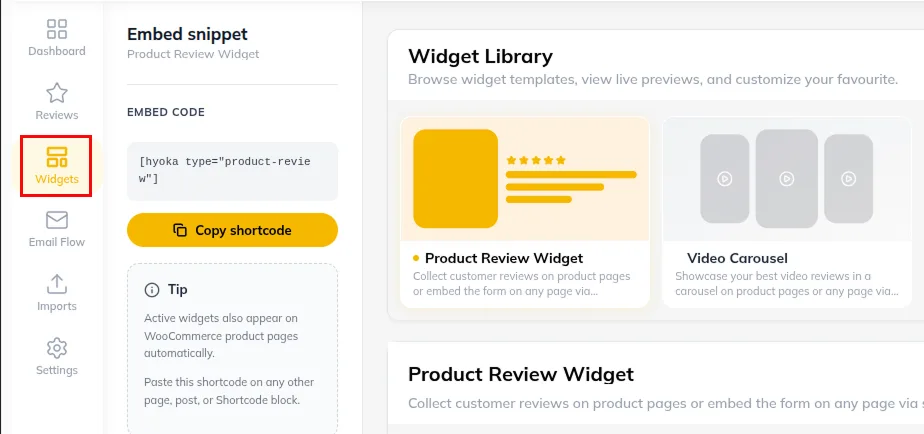
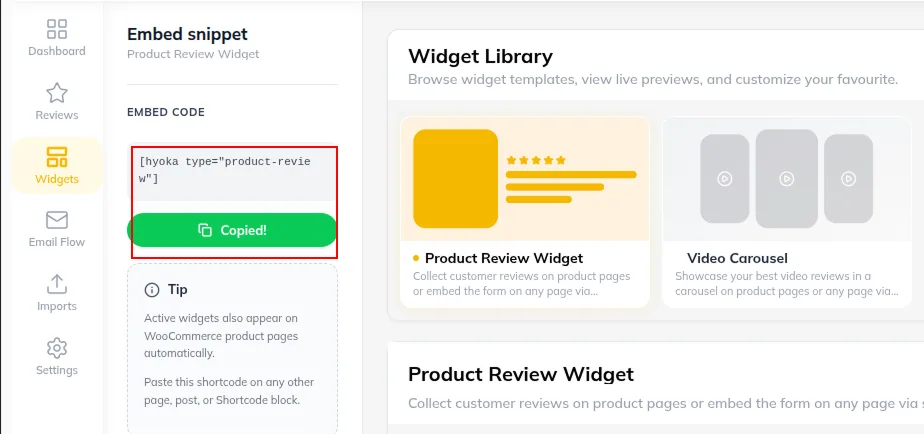
Step 2: Embedding Main Product Review Widget [hyoka_reviews]
1. Use [hyoka_reviews] on custom product templates or pages.
2. Specify optional parameters:
- [hyoka_reviews product_id=”123″] (displays reviews for specific product)
Step 3: Displaying Standalone Star Ratings [hyoka_star_rating] & Badges
1. Embed inline star rating summaries anywhere on your theme header, footer, or custom grids:
- [hyoka_star_rating product_id=”123″]
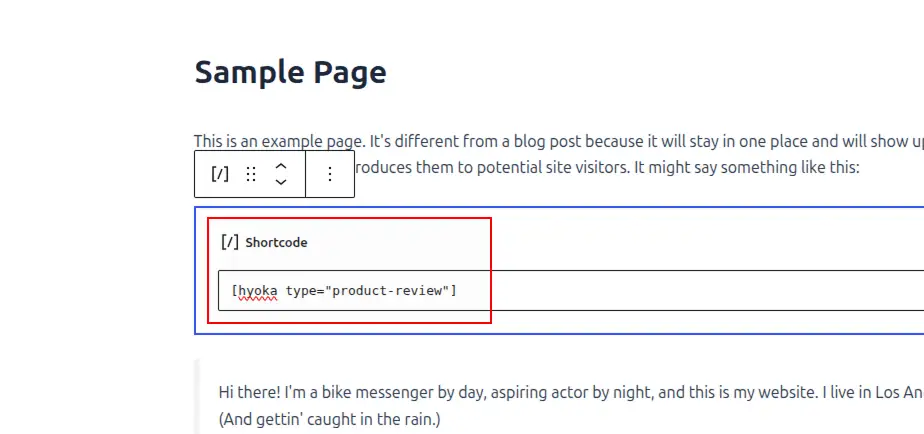
1. Display verified site trust badges using [hyoka_badge type=”verified_store”] .
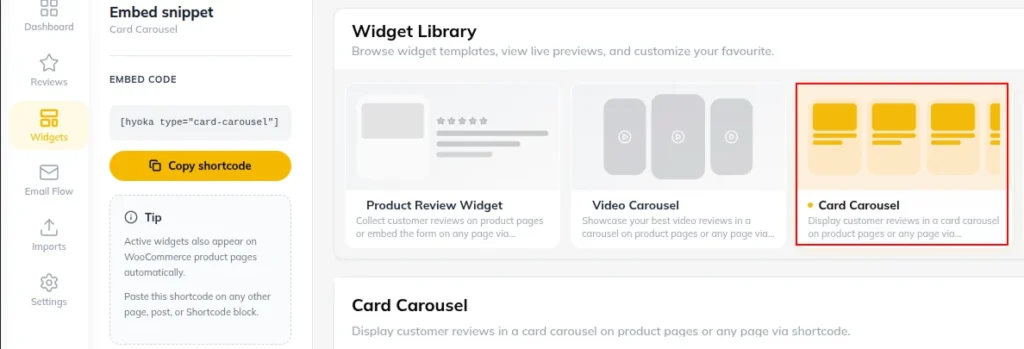
Step 4: Embedding Review Carousels on Homepages [hyoka_carousel]
1. Create visual social proof carousels on your store homepage using [hyoka_carousel] .
2. Customize attributes:
- [hyoka_carousel ] (shows 4+ star reviews in a sliding carousel).
Need Help?
Email: support@ysinnovations.com
Documentation: https://docs.ysplugins.com/hyoka