
A step-by-step guide to incentivizing customer reviews with automated WooCommerce discount coupons and photo/video reward bonuses.
Step 1: Navigating to Loyalty & Incentives Settings
1. Log into your WordPress Dashboard.
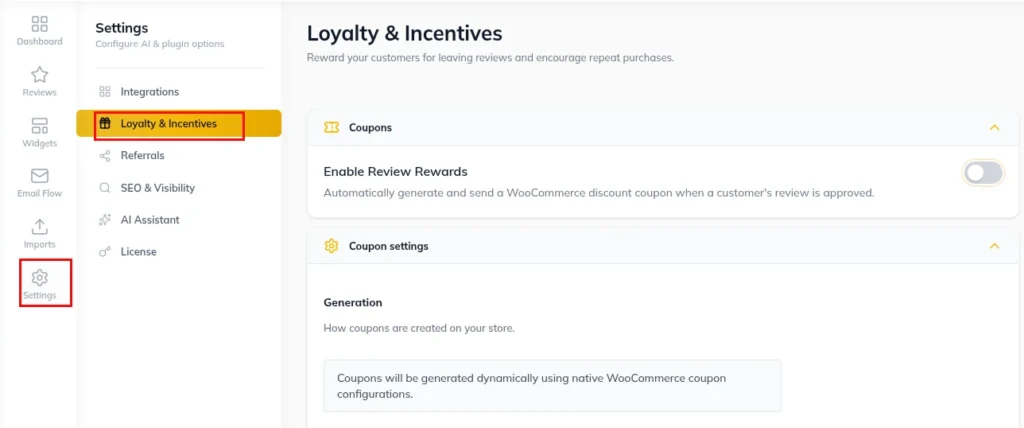
2. Click Hyoka in the left WordPress menu.
3. Select Settings in the primary navigation sidebar, then click the Loyalty & Incentives sub-tab.
Step 2: Enabling Automatic Discount Coupon Generation
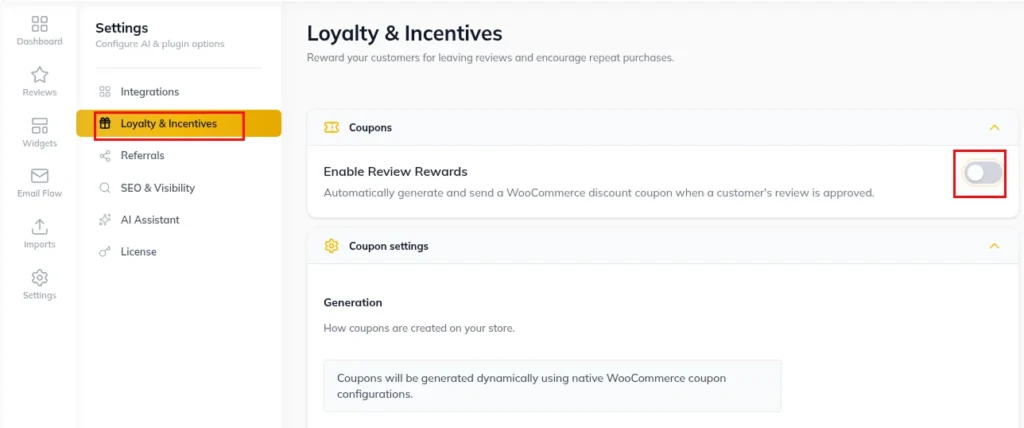
1. Under Loyalty & Incentives, toggle Enable Review Incentives to ON.
2. Choose coupon trigger workflow (automatically issue upon review submission or upon admin approval).
Step 3: Configuring Discount Values & Expiration Rules
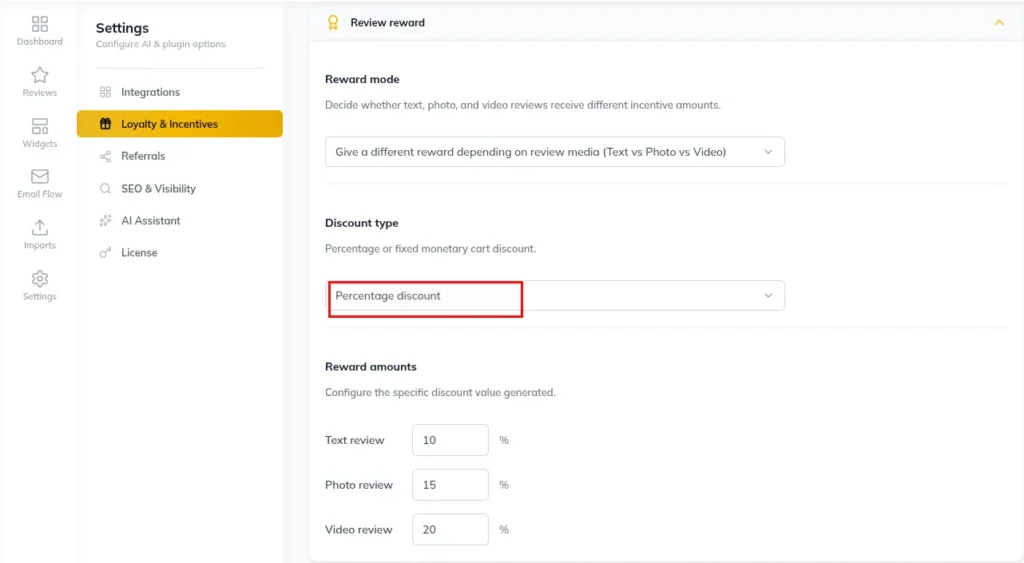
1. Select discount type (Percentage Discount or Fixed Cart Discount).
2. Set base discount value (e.g., 10% OFF or $5 OFF).
3. Set coupon expiration period (e.g., 30 Days from issue date).
4. Set minimum order spend requirements if applicable.
Step 4: Setting Bonus Reward Tiers for Photo & Video UGC
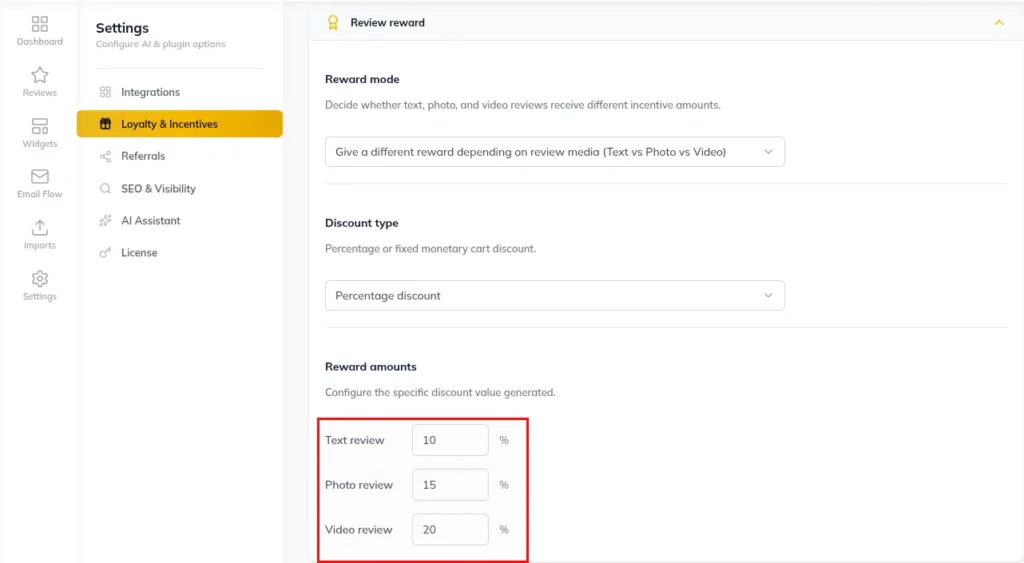
1. Enable Tiered Rewards for Media Uploads.
2. Configure extra bonus rewards:
Standard Text Review: 10% OFF coupon code
Review with Photo: 15% OFF coupon code
Review with Video: 20% OFF coupon code
Need Help?
Email: support@ysinnovations.com
Documentation: https://docs.ysplugins.com/hyoka